
The seven core strategies that immediately improve remote-team communication are: async-first workflows, a Single Source of Truth (SSOT), a formal communication charter, decision logs with Directly Responsible Individuals (DRIs), clear escalation paths, persona-aware virtual presence, and iterative measurement. MIT Sloan research confirms that effective virtual communication is driven by five behaviors, not tool sophistication: match tech to task, clarify intentions, maintain synchronization, provide support, and foster inclusion. Tools like Ghost Text add a layer most teams skip entirely: message-level coaching before you hit send.
TL;DR for your team charter: Default to async, document every decision with an owner and rationale, publish channel rules, and coach message tone before sending.
- Async-first default: Reserve live meetings for debate and relationship repair only.
- Single Source of Truth (SSOT): One searchable home for decision logs, process docs, and onboarding notes.
- Communication charter: One page covering channels, response bands, and escalation rules.
- Decision logs with DRIs: Owner, date, rationale, and next step on every decision.
- Escalation paths: Explicit criteria for when async must become a live call.
- Persona-aware virtual presence: Camera eye contact, no filler words, active listening.
- Iterative measurement: Track time-to-decision and documentation completeness, not raw response speed.
Table of Contents
- What does a 30/90-day rollout actually look like?
- Playbooks and templates for the highest-friction remote moments
- How do you match the right tool to each communication job?
- How do you know if communication is actually improving?
- How does AI coaching improve message-level clarity for remote teams?
- How should remote teams handle conflict before it escalates?
- What communication practices help new remote members get up to speed fast?
- Key Takeaways
- The behavior-first approach is the only one that actually sticks
- What Ghosttextai does for your remote communication playbook
- Useful sources and further reading
What does a 30/90-day rollout actually look like?
The fastest way to stall is to try changing everything at once. A phased rollout gives teams quick wins early and builds the infrastructure for lasting change.
30-day sprint — lay the foundation:
- Designate one SSOT platform (Notion, Confluence, or Google Workspace) and migrate active project docs there.
- Publish a one-page communication charter covering channel rules, response-time expectations, and meeting norms.
- Assign a DRI for every active project. No project moves without a named owner.
- Convert one recurring status meeting to a written async update. This single change is the fastest proof-of-concept.
- Set response-band expectations by channel and share them team-wide.
90-day expansion — build the system:
- Decision logs live in the SSOT for every choice affecting more than two people.
- Rotating meeting windows accommodate all time zones on a fair schedule.
- Async handoff templates are in use across all active projects.
- Persona-aware presence training runs for managers and meeting facilitators.
- First quarterly retrospective reviews time-to-decision and documentation completeness.
Who owns what:
- Managers: Draft and publish the charter; model async behavior publicly.
- Project owners: Maintain decision logs; update the SSOT after every major call.
- Individual contributors: Use context-rich messages; flag blockers in writing before escalating live.
- Communication champions: One per region or squad when scaling globally; they audit channel hygiene and run the retrospective.
Playbooks and templates for the highest-friction remote moments
Generic advice does not survive contact with a real deadline. These templates do.
Decision playbook
Propose async: Post a structured doc with context, options, and your recommended choice. Give the team 48 hours to comment. Decision logs must include: Owner | Date | Rationale | Next step. Treat them as searchable artifacts, not meeting minutes.
Template:
Handoff playbook
Required fields: current state, open blockers, owner, and hard deadline. A handoff missing any of these fields is incomplete.
Template:
Escalation playbook
Over-communication without context causes burnout. Escalate from async to a live call only when: the thread has gone three rounds without resolution, the issue is time-sensitive (under four hours), or the conversation involves interpersonal conflict. For genuine emergencies, define a dedicated channel (e.g., #urgent) with a two-hour response expectation.
Feedback and sensitive conversations
Send a pre-read doc 24 hours before the call. Hold the conversation on video, not chat. Follow up with a written recap the same day. This sequence protects both parties and creates a record.
Pro Tip: Before sending a high-stakes message, run it through an AI coach like Ghosttextai to check tone and intent. A message that reads as neutral to you can land as cold or aggressive to someone in a different context. Catching that gap before you send is worth more than any post-call apology.
How do you match the right tool to each communication job?
The MIT Sloan behavior-first framework puts tool selection last, not first. Define the communication job, then pick the channel.
Channel rules:
- Email: Formal announcements, external stakeholders, anything requiring a paper trail.
- Chat (Slack/Teams): Quick coordination, clarifying questions, social connection.
- Project management tools (Asana, ClickUp, Linear): Visible work, task status, file sharing.
- Docs/SSOT: Decision logs, process documentation, onboarding guides, and retrospective notes.
- Video (Zoom, Google Meet): Complex alignment, sensitive conversations, relationship building.
Response-time expectations by channel (sourced benchmarks):
| Channel | Use case | Expected response |
|---|---|---|
| Slack/Teams (urgent) | Quick questions, blockers | A few hours during work hours |
| Formal requests, proposals | Within a day | |
| Project management comments | Task updates, feedback | Within a few days |
| SSOT doc comments | Process decisions | Within a couple of days |
What belongs in the SSOT: decision logs, process docs, onboarding notes, retrospective outputs, and communication charter versions. Assign one doc maintainer per squad. Without a named owner, the SSOT drifts into a graveyard of outdated files.
SoWork's async-first research shows that AI-powered automation for meeting summaries and action-item extraction reduces duplicated effort across distributed teams. Tools like TrailerCast's decision rooms centralize recordings and structured notes directly into a decision log format, which cuts the manual work of populating your SSOT after every call.
Pro Tip: Use AI to generate meeting summaries and draft decision log entries, but always validate intent before publishing. AI captures what was said; human review confirms what was meant.
How do you know if communication is actually improving?
Vanity metrics (response speed, message volume) measure activity, not outcomes. These do not.
Preferred KPIs:
- Time-to-decision: Days from proposal to logged decision. Target: under five business days for non-urgent decisions.
- Documentation completeness: Percentage of active projects with a current decision log entry. Target: 100%.
- Meeting effectiveness score: Post-meeting pulse (1–5 scale) on whether the meeting was necessary and productive.
- Inclusion rate: Participation spread across time zones in async threads and retrospectives.
Quarterly retrospective template:
| Step | What to do |
|---|---|
| Incident reconstruction | Pick one communication failure from the quarter. Reconstruct the timeline. |
| Three improvement actions | Name three specific changes, each with an owner and a review date. |
| Metric review | Check time-to-decision and documentation completeness against last quarter. |
| Charter update | Revise channel rules or response bands if the data warrants it. |
Avoid tracking raw time-to-response. It rewards people who reply fast with low-quality answers and penalizes deep-work blocks. Outcome metrics tell you whether communication is working; activity metrics tell you whether people are busy.
How does AI coaching improve message-level clarity for remote teams?
Most communication training stops at the team level. Ghosttextai works at the message level, which is where misreads actually happen.
What AI coaching does in practice:
- Tone detection: Flags when a message reads as dismissive, urgent, or passive-aggressive, even when the writer intended none of those.
- Intent analysis: Surfaces what the message is actually asking for versus what it says on the surface.
- Red-flag alerts: Identifies patterns that signal disengagement, conflict, or boundary issues before they escalate.
- Suggested reply personas: Generates contextually tailored replies in different tones (direct, diplomatic, warm) so the sender can choose the right register for the situation.
A practical example: a team member drafts an escalation message to their manager after a missed deadline. The draft is technically accurate but reads as accusatory. Ghosttextai flags the tone, suggests a reframe that preserves the urgency without the blame, and the issue gets resolved in writing without a live call. That is the behavior-first approach MIT Sloan describes, applied at the sentence level.
The Center for Creative Leadership recommends persona management for virtual presence: direct camera eye contact, eliminating filler words, and active listening. AI coaching extends that discipline to written messages, where most remote communication actually lives.
Pro Tip: Treat AI output as a first draft, not a final answer. Review every suggested reply for accuracy and ownership before sending. The goal is better judgment, not outsourced judgment.
How should remote teams handle conflict before it escalates?
Text strips tone. A message that would land fine in person can read as hostile in a Slack thread, and by the time someone responds, the misread has already done damage.
The first rule: never resolve conflict in a group channel. Move it to a private async message first, then video if the thread goes more than two rounds. Intentional social connection built into the team rhythm, like buffer time before meetings and structured casual check-ins, reduces the baseline tension that makes conflict more likely.
When conflict surfaces, the escalation path matters. Start with a written message that names the specific issue, not the person. If that does not resolve it within 24 hours, move to a private video call. Document the outcome in writing and share it with both parties. No resolution lives only in someone's memory.

What communication practices help new remote members get up to speed fast?
The first two weeks set the pattern. New members who do not understand the team's communication norms default to over-messaging or silence, both of which create friction.
A structured onboarding communication plan covers: where to find the SSOT, which channel handles which type of message, who the DRI is for their first project, and when the team's recurring rituals happen. Assign a communication buddy, not just an onboarding buddy, whose specific job is to answer "where does this conversation belong?" questions for the first 30 days.
High-quality team charters are one of the most effective tools for integrating new members because they formalize interaction guidelines and communication channels explicitly. New members should receive the charter on day one and be walked through it in their first 1:1. A face-to-face or video orientation in the first week also builds the trust that makes async communication work later.
Key Takeaways
Effective communication strategies for remote teams succeed when behavior and documentation come first, and tools follow.
| Point | Details |
|---|---|
| Async-first default | Reserve live meetings for debate and conflict; move status updates to written async formats. |
| SSOT with named owners | Every decision log, process doc, and onboarding guide needs one named maintainer to stay current. |
| Charter published on day one | A one-page communication charter covering channels, response bands, and escalation rules cuts ambiguity fast. |
| Outcome metrics, not activity | Track time-to-decision and documentation completeness, not response speed or message volume. |
| Ghosttextai for message-level coaching | Run high-stakes messages through Ghosttextai to catch tone and intent issues before they create conflict. |
The behavior-first approach is the only one that actually sticks
Most teams buy a new tool when communication breaks down. That is the wrong diagnosis. The problem is almost never the platform. It is the absence of shared norms: no one agreed on what channel handles what, no one owns the decision log, and no one told the new hire where anything lives.
The research is consistent on this. MIT Sloan's five behaviors, the CCL's persona guidance, and RemoteFast's decision-log framework all point to the same conclusion: clarity comes from documented agreements, not from switching to a better app.
Where AI coaching fits is specific and bounded. It does not replace human judgment. It catches the gap between what you meant and what you wrote, which is a real and recurring problem in text-heavy remote work. Using Ghosttextai before a high-stakes send is the same discipline as reading a message aloud before hitting send, except the feedback is faster and more specific. The ethical line is clear: AI drafts, humans decide.
The teams that communicate well are not the ones with the most tools. They are the ones who agreed on the rules and actually follow them.
What Ghosttextai does for your remote communication playbook
The playbook above gives you the structure. Ghosttextai gives you the message-level layer that most teams never build.
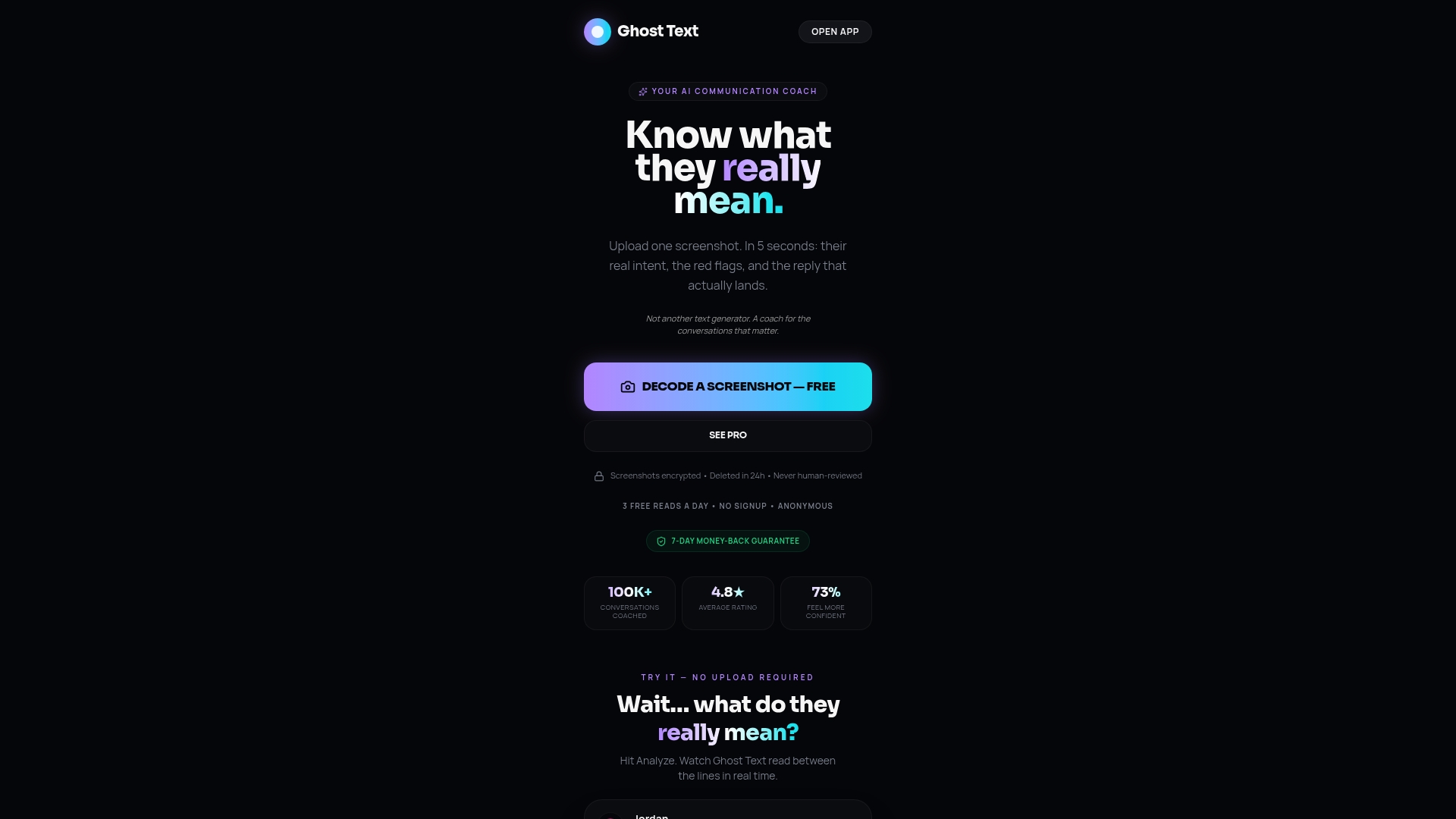
Paste a conversation or upload a screenshot and Ghosttextai returns an instant read on tone, intent, emotional signals, and red flags, along with suggested replies in multiple personas (direct, diplomatic, warm). For remote teams, that means catching a passive-aggressive escalation before it lands wrong, reframing a feedback message that reads harsher than intended, or confirming that a handoff note is actually clear before the other person reads it confused.
Use it individually before high-stakes sends, or build it into squad training as a shared exercise. It fits naturally into the onboarding flow too: new members can run their first few messages through Ghosttextai to calibrate tone before they have built enough context to read the room on their own.
Start with Ghost Text and run your next high-stakes message through it before you send.
Useful sources and further reading
- MIT Sloan: Five ways to improve communication in virtual teams — The behavior-first framework (match tech to task, clarify intentions, maintain sync, provide support, foster inclusion) that underpins this entire playbook.
- Center for Creative Leadership: How to craft your persona for effective virtual communication — Practical guidance on camera presence, filler-word elimination, and active listening for virtual interactions.
- SoWork: Ultimate Guide to Remote Team Communication 2026 — SSOT strategy and async-first workflow evidence, including AI automation for meeting summaries.
- RemoteFast: Master Remote Team Communication Playbook 2026 — Decision-log templates, escalation criteria, and communication charter frameworks.
- Superhuman blog: How to communicate with dispersed teams — Sourced response-time benchmarks by channel and charter guidance for distributed leaders.
- KrispCall: Improve remote team communication (2026) — Intentional social connection practices: buffer time, structured casual check-ins, and psychological safety.
- SIOP: Improving Communication in Virtual Teams — Academic foundation on trust, leadership, team charters, and communication network development in virtual contexts.
- Indeed: 11 Methods of Effective Remote Team Communication — Practical overview of communication methods and tool categories for distributed teams.
- Ghosttextai blog: Effective Communication Strategies for the Workplace — Principles and templates for digital-first team communication behaviors.
- TrailerCast: Decision Rooms — Centralized decision documentation with integrated recordings and structured notes for async workflows.