
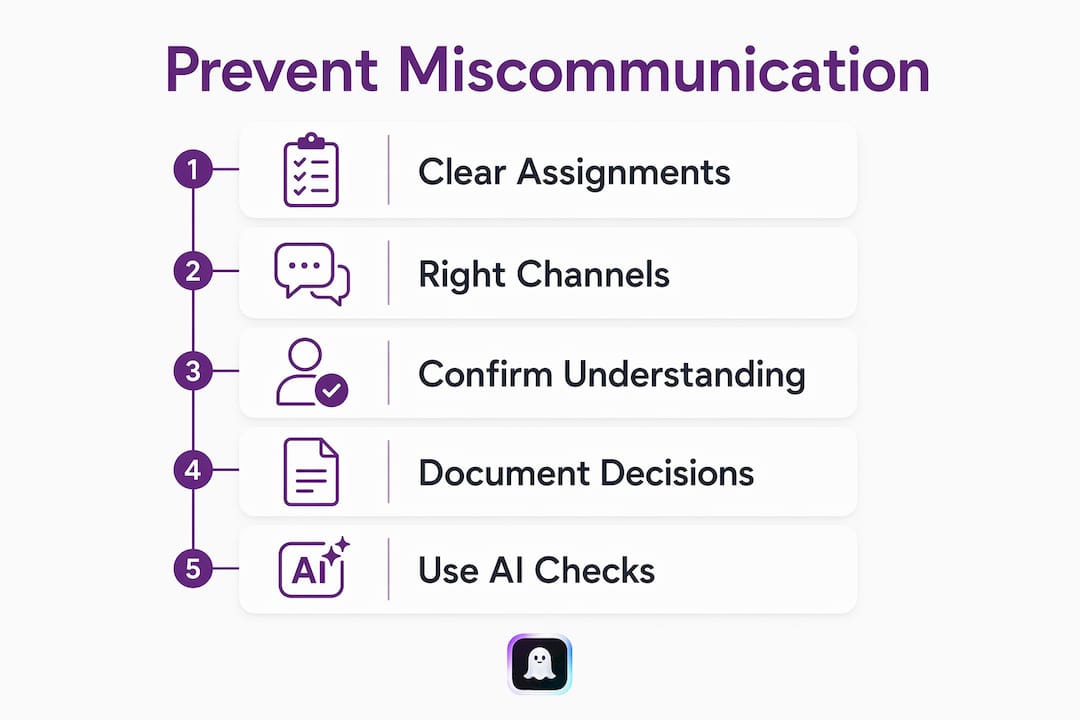
Use five specific routines to stop most workplace miscommunication now: write assignments with a clear owner, deadline, and definition of done; match every message to the right channel; confirm understanding before moving on; have leaders document decisions visibly; and run a pre-send AI check on anything high-stakes or ambiguous.
- Define every assignment with three things: who is responsible, the exact deadline, and what "done" looks like. Atlassian's research shows organizations that adopt these standards significantly reduce task misunderstandings.
- Match channel to purpose: use chat for quick questions, email for formal updates, async video for nuanced context, and live calls for anything sensitive.
- Confirm before you move on: paraphrase what you heard, ask one clarifying question, and restate the next step with an owner and date.
- Leaders must document decisions in a shared log, not just announce them verbally. When leaders skip this, team norms erode fast.
- Run a pre-send AI check on ambiguous or high-stakes messages using a tool like Ghosttextai before you hit send.
Table of Contents
- How to avoid miscommunication at work: make assignments unambiguous
- Does your team use the right channel for each message?
- How to confirm understanding in text-based communication
- Why leaders must document decisions out loud
- How an AI pre-send check reduces interpretation risk
- What does a realistic rollout look like?
- Key Takeaways
- The part most guides skip
- Ghosttextai catches what you miss before you hit send
- Further reading and sources
How to avoid miscommunication at work: make assignments unambiguous
Every recurring task confusion traces back to the same gap: someone thought someone else knew what "done" meant. The fix is three mandatory criteria on every assignment.
Who names the single accountable person, not a team or a "we." When is a specific date and time, never "soon" or "ASAP." What done looks like describes the finished output in one sentence so there is no room to interpret.
Here are three ready-to-use formats:
- One-line: "Jordan: deliver the revised pricing deck to the client folder by Thursday 5 PM ET. Done = PDF uploaded and Slack message sent to #client-updates."
- Medium: "Owner: Jordan. Task: revise pricing deck. Deadline: Thursday 5 PM ET. Done when: PDF in /client-deliverables, Slack confirmation sent."
- Documented (for task tools): Add the above as a task description in Jira, Asana, or your project tool of choice, with Jordan assigned and the due date set.
A common mistake looks like this: "Can you handle the pricing thing before the call?" The corrected version: "Jordan, please update the pricing slide with Q2 actuals and share it in the client folder by Wednesday noon. Done when the file is there and you've pinged me."
Pro Tip: Record every assignment in your task tool or a brief email summary immediately after the conversation. If it lives only in someone's memory, it will drift.
Does your team use the right channel for each message?
Most communication problems are channel problems in disguise. Teams default to chat for everything, then wonder why nuanced requests get misread. The fix is a simple channel matrix your team can agree on and post somewhere visible.

| Channel | Best for | Expected response | Example |
|---|---|---|---|
| Chat (Slack, Teams) | Quick questions, status pings | Minutes | "Is the doc ready to share?" |
| Formal updates, external comms | Same day | Project status to a client | |
| Shared doc / wiki | Decisions, specs, reference info | Async, no reply needed | Decision log, project brief |
| Async video (Loom) | Walkthroughs, nuanced context | Same day | Explaining a complex design change |
| Live call / meeting | Sensitive topics, real-time decisions | Scheduled | Performance feedback, conflict resolution |
Chat tops the list for workplace misunderstandings, while async video remains underused despite often being the clearest option. Apply the three-way interpretation test: if a message could reasonably be read three different ways, switch to a richer channel before sending. A 90-second Loom recording beats a paragraph of chat that gets misread twice.
Teams that never explicitly assign channel roles leave intent to be guessed every single day. Posting a one-page channel matrix in your team wiki takes 20 minutes and pays off immediately.
How to confirm understanding in text-based communication
Active listening in professional settings means more than reading carefully. It means confirming what you heard before acting on it. In chat and async work, that confirmation step is the one most people skip.
Follow this sequence:
- Paraphrase what you understood in one sentence.
- Ask one clarifying question if anything is ambiguous.
- Restate the next step with an owner and a date.
- Get a brief acknowledgment before closing the thread.
Sample phrases you can paste directly into chat or email:
- "Just to confirm: you need the report by Friday noon, and the exec summary should be no longer than one page. Does that match what you're asking?"
- "I heard the priority is fixing the login bug before the feature work. I'll have a fix in review by Wednesday. Sound right?"
- "Checking my understanding: the client wants Option B, and I'm the one sending the revised proposal. Correct?"
Pro Tip: Make confirmation feel normal by framing it as efficiency, not doubt. "Let me confirm so I don't have to come back to you" lands better than "I'm not sure I understood."
Why leaders must document decisions out loud
When a leader announces a decision verbally in a meeting and never writes it down, three versions of that decision exist by the next morning. Visible documentation by leaders is not a nice-to-have; it is the actual policy signal.
Use a decision log with these fields:
| Field | What to write |
|---|---|
| Decision | One sentence stating what was decided |
| Owner | Who is accountable for execution |
| Date | When the decision was made |
| Consulted | Who was involved in the discussion |
| Rationale | Why this option was chosen |
| Next steps | Specific actions with owners and deadlines |
Publish the log in a shared doc, project tool comment, or team wiki page. The goal is that anyone who missed the meeting can find the decision in under two minutes without asking anyone.
Standardizing routines like a weekly decision-log update removes ambiguity without adding meetings. It also signals to the team that documentation is normal, not bureaucratic.
Pro Tip: After every meeting with a decision, spend three minutes filling in the log before you close your laptop. If you wait until later, it won't happen.
How an AI pre-send check reduces interpretation risk
For ambiguous or high-stakes text messages at work, an AI pre-send check is the fastest way to catch tone problems, unclear intent, and potential red flags before the other person reads them. This is where Ghosttextai fits directly into the workflow.
Ghosttextai analyzes pasted conversations or uploaded screenshots and returns:
- Tone detection: flags whether a message reads as passive-aggressive, overly blunt, or unclear
- Intent prediction: identifies how the recipient is likely to interpret the message
- Red-flag warnings: surfaces phrases that could trigger defensiveness or confusion
- Suggested phrasing: offers alternative wording with tone and style options
The workflow takes under two minutes:
- Paste your draft message or upload a screenshot into Ghosttextai.
- Review the flagged tone or intent issues.
- Apply the suggested edits or choose an alternative phrasing.
- Send the revised message.
Three workplace scenarios where this matters:
- Status update to leadership: your draft reads as defensive; the AI flags it and suggests a neutral, fact-based version.
- Difficult feedback to a colleague: the AI catches a phrase likely to read as a personal attack and offers a behavior-focused alternative.
- Cross-team request: your message is ambiguous about the deadline; the AI prompts you to add a specific date and owner.
For effective communication strategies that go deeper on AI coaching in professional contexts, the Ghosttextai blog covers tone detection and pre-send analysis in detail.
What does a realistic rollout look like?
| Phase | Timeline | Actions |
|---|---|---|
| Trial | Week 1 | Audit one recurring miscommunication; test channel matrix and assignment template |
| Local norms | Week 2 | Post channel matrix; share assignment template with team |
| Measure | Month 1 | Count repeated clarification requests and task rework instances |
| Iterate | Quarter 1 | Review metrics; adjust norms; expand AI pre-send check to more message types |
Cost options range from zero to low. The habits (assignment criteria, channel matrix, confirmation phrases, decision log) cost nothing. Ghosttextai offers a freemium tier for limited use, with Ghost Text Pro unlocking unlimited reads, advanced red-flag detection, and premium reply generation for teams that want full coverage.
Measuring outcomes like fewer repeated questions, cleaner handoffs, and faster decisions is what separates teams that improve from teams that just try harder. Track these four metrics: repeated clarification count, task rework instances, meeting frequency for decisions that could be async, and decision latency (time from discussion to documented decision).
Key Takeaways
Avoiding workplace miscommunication comes down to three concrete habits: unambiguous assignments, channel discipline, and a confirmation step before acting.
| Point | Details |
|---|---|
| Three-part assignments | Every task needs a named owner, a specific deadline, and a one-sentence definition of done. |
| Channel matrix | Match message type to channel; chat for quick pings, async video for nuanced context, live calls for sensitive topics. |
| Confirm before acting | Paraphrase, ask one clarifying question, restate the next step with owner and date. |
| Leaders set the standard | Documented decisions in a shared log prevent multiple versions of the truth from spreading. |
| Ghosttextai pre-send check | Paste or screenshot any high-stakes message into Ghosttextai to catch tone, intent, and red flags before sending. |
The part most guides skip
Most communication guides focus on the sender: be clearer, be more specific, choose better words. That advice is fine, but it misses where most workplace miscommunication actually lives, which is in the gap between what was sent and what the reader assumed.
The three-part assignment rule and the channel matrix are structural fixes. They remove the conditions that make misreading easy. But the pre-send check is the one habit that addresses the reader's interpretation directly, before it happens. A message that reads fine to you can land completely differently on someone under deadline pressure or carrying context you don't know about.
The teams that communicate well aren't the ones with the best writers. They're the ones with the shortest feedback loops: they confirm fast, document decisions the same day, and catch ambiguous messages before they go out. Psychological safety is what makes those loops work. Without it, people stay quiet instead of asking the clarifying question that would have saved everyone two days of rework.
Start with one habit this week. The assignment template takes five minutes to write and will prevent at least one rework cycle before the month is out.
Ghosttextai catches what you miss before you hit send
Reading a message back to yourself is not the same as knowing how it will land. Ghosttextai gives you the second opinion your draft actually needs: instant analysis of tone, intent, emotional signals, and red flags, with suggested rewrites you can apply in seconds.
The free tier lets you analyze a handful of conversations right now, no commitment needed. Ghost Text Pro unlocks unlimited reads, advanced red-flag detection, an interest meter, and premium reply personas for professionals who send high-stakes messages regularly. Whether you're navigating a difficult feedback thread, a cross-team request, or a message to leadership, Ghosttextai tells you what your words actually communicate before the other person decides for themselves. Try Ghosttextai and send your next message knowing exactly how it reads.
Further reading and sources
Primary sources used in this guide:
- How to overcome poor communication in the workplace — Atlassian
- Effective communication strategies for teams — Rock.so
- How to overcome communication barriers — TeamBonding
- How to improve team communication with smart systems — Recurrr
- How to get your team unstuck from constant miscommunication — Atlassian / Loom
Ghosttextai resources for deeper reading:
- Effective communication strategies for the workplace
- Best AI communication coach tools for professionals
- AI tone detector alternatives
Partner resources:
- Structured review workflows for teams — Formable
- Negotiation and handoff workflows — Formable